
You searched, can I change the aperture on my phone? You’ve taken back the shutter speed and the ISO. This is the one that sounds like it should come next.
The Miss
Low number, blurry background. That’s the rule. So a phone lens that opens to f/1.48 sounds like a portrait machine.
The f-number measures light. Blur is a separate job.
The f-number tells you how much light. Your feet tell you how much blur.
The Photo Lab
The Lesson + Lab
In theory the same f-number gives you the same exposure on any camera. In practice, last week the same ISO and the same shutter speed gave me two different pictures on two phones. The number gets you started. The picture is the judge.
Does My Phone Camera Have a Manual Mode? covered who gets to change what. Aperture was the one an app couldn’t touch.
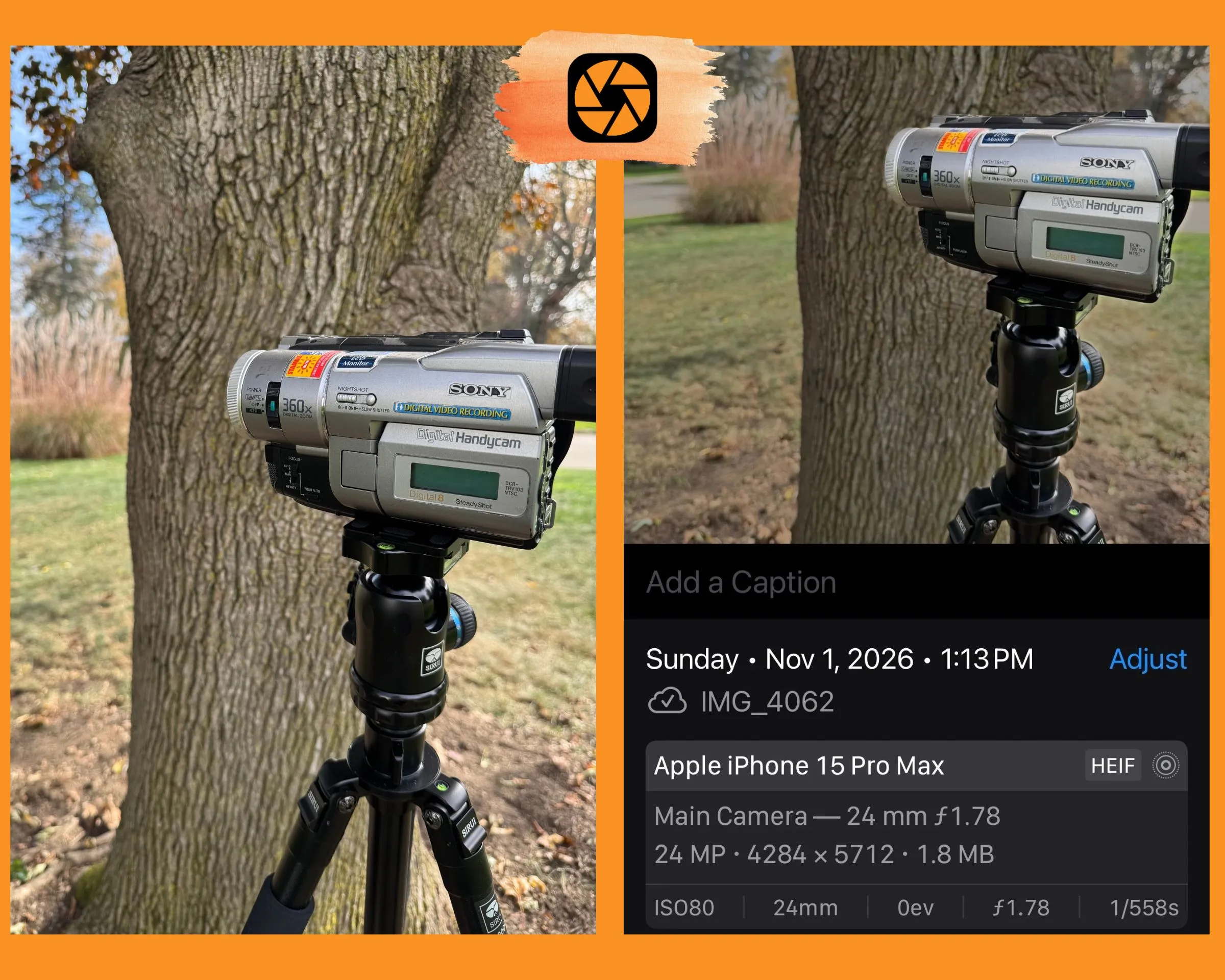
Blur is a different job, so I tested it. I used a camcorder on a tripod and a big tree, and my iPhone 15 Pro Max on its main lens. All three files read ISO 80, 24mm and f/1.78. The aperture never changed. Only the shutter speed moved. I also opened the three-foot shot in the Photos app and looked for a Portrait button or a depth control, in case the phone was blurring in software. Neither showed up.
Here’s how I did my test.
| Shot | Me to camcorder | Camcorder to tree | What changed |
|---|---|---|---|
| A | 6 ft | 1 ft | Baseline |
| B | 6 ft | 10 ft | Camcorder moved off the tree |
| C | 3 ft | 1 ft | I moved my feet toward the camcorder |
In shot A, the long grass behind the camcorder looked sharp. In shot B, I couldn’t see a change. In shot C, the long grass went soft. The tree right behind the camcorder stayed sharp.
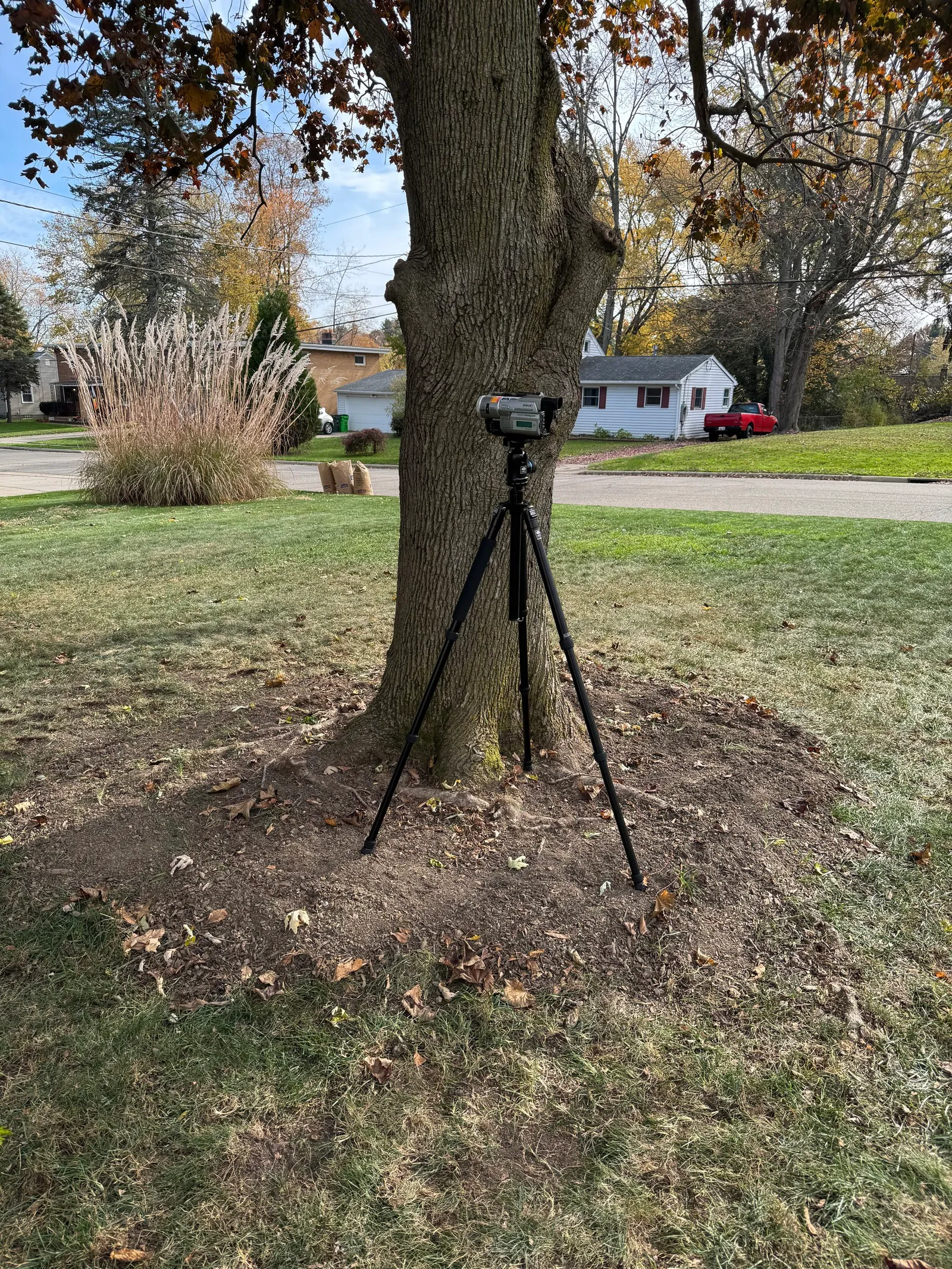
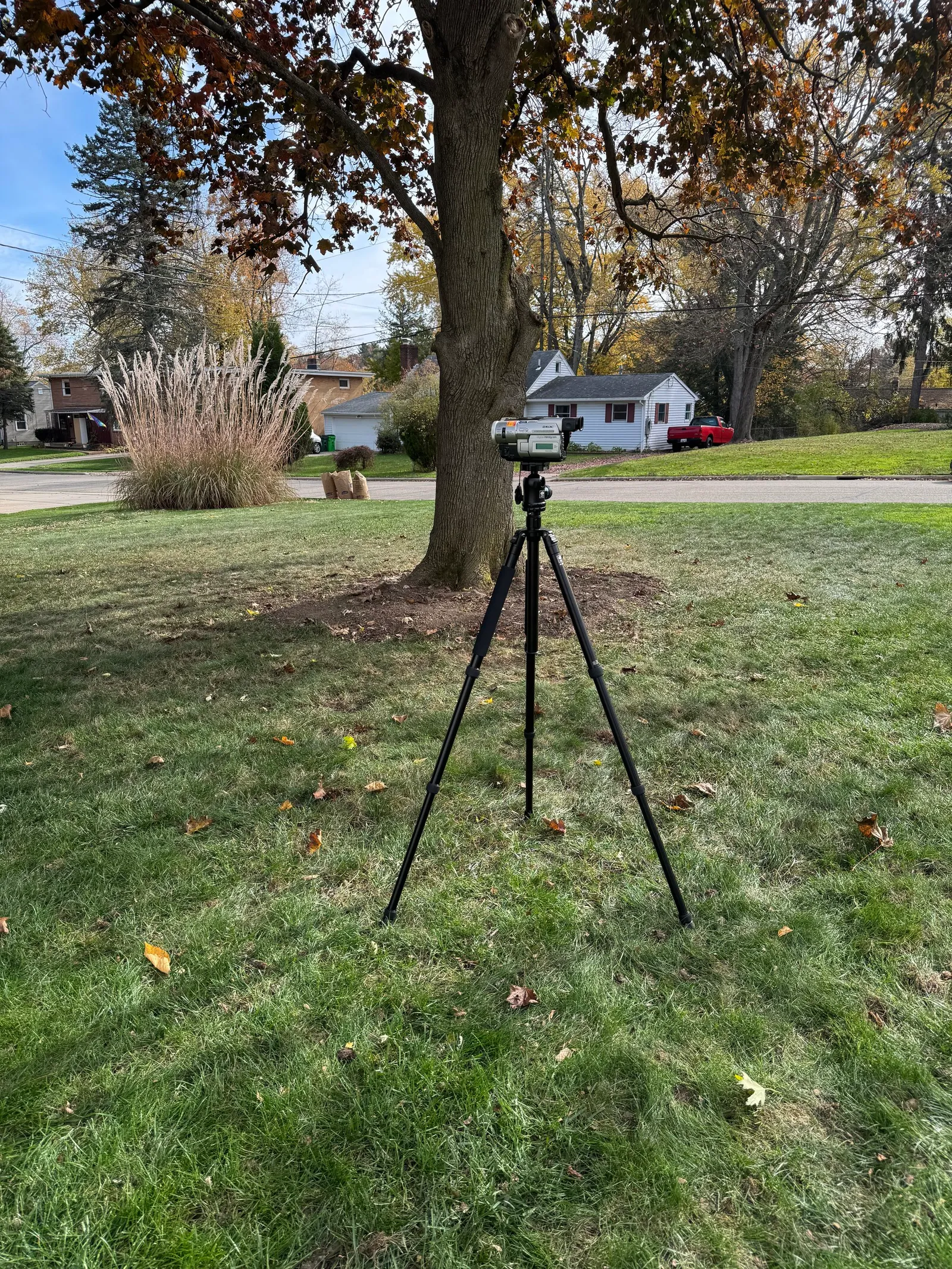
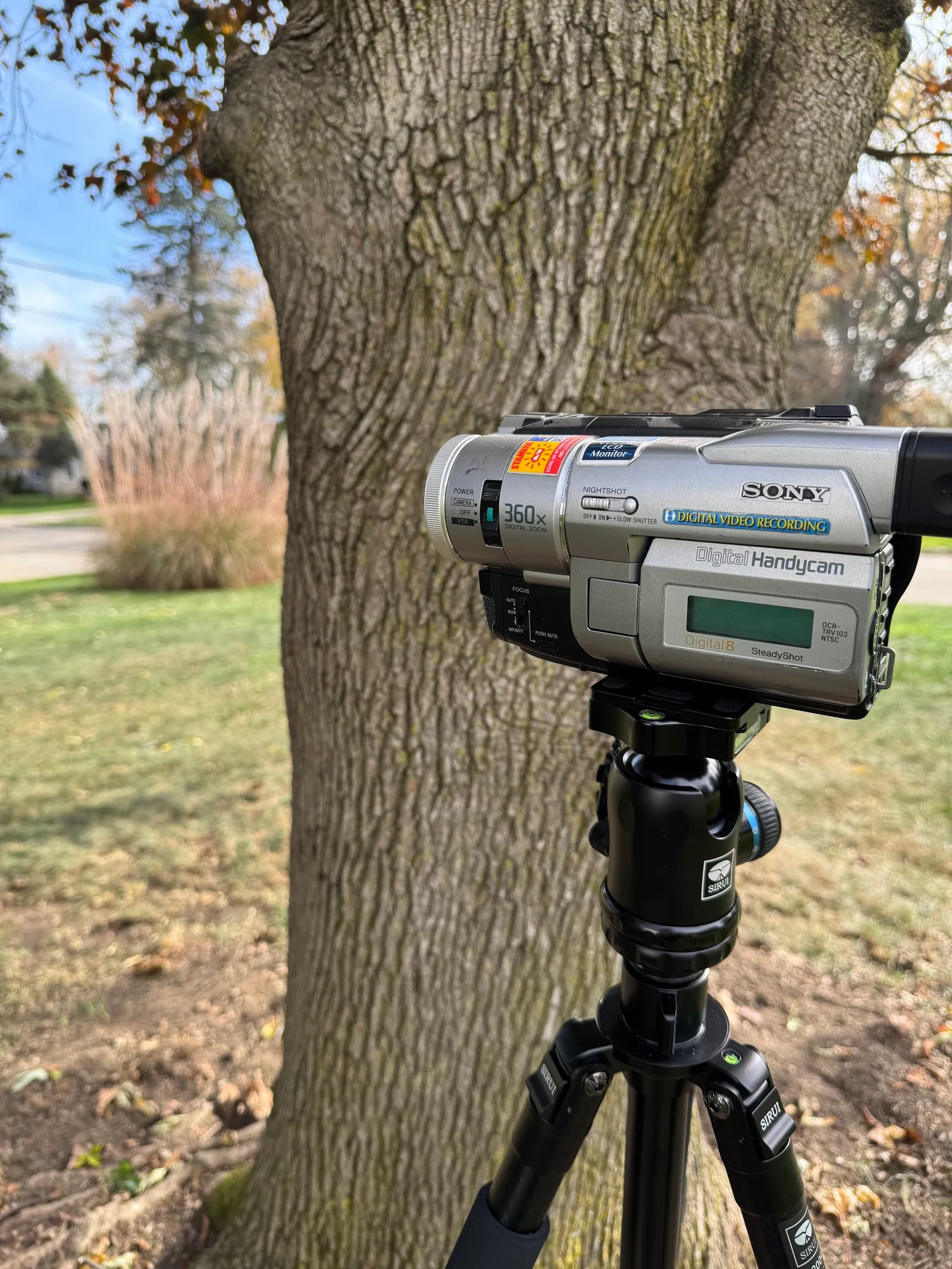
Tap a photo to see it full size.
On my phone, moving my feet toward the camcorder did the work. Moving the camcorder off the tree didn’t, at least not at ten feet. I can’t tell you what happens farther out.
On a camera with a lens opening you can change, aperture helps too, and I covered how aperture blurs a background back in Unit 3.
One thing your feet can’t change is the sensor. It’s the part that catches the light. A phone’s is small. A big camera’s is bigger. Frame the same shot at the same f-number, and the big camera blurs the background more.
I haven’t shot with an iPhone 18 Pro, so the numbers below are from Lee Morris at Fstoppers, not mine. He matched each setting to the full-frame f-stop that would blur the same way. f/1.48 lands near f/5.2. f/4 lands near f/14. That’s the deep end of the scale, where backgrounds stay mostly sharp.
Portrait mode fakes the blur in software. Is portrait mode blur real? takes that on.
So here is how you find your limit. Move your feet toward the subject first. Then move the subject off the background and see if anything changes. If you still can’t get the blur you want, that’s the limit a bigger sensor fixes. Know which limit you’re hitting before you think about any camera.
Lab: Try This
Pick a subject that holds still and a background with detail. Use the main lens, outside in daylight. A camcorder on a tripod worked for me.
- Put the subject one foot in front of the background. Stand six feet from the subject. Take a picture.
- Move the subject ten feet away from the background. Stay six feet from the subject. Take another.
- Put the subject back, then move your feet toward the subject until you’re three feet away. Take a third.
- Look at the three backgrounds. Which move changed the most?
If you have an iPhone 18 Pro, shoot the first picture twice from the same spot, once at f/1.48 and once at f/4. Morris saw a slight change. See if you agree.
Reflection + CTA
Last week you took back the ISO. This week you found out the lens opening won’t do much for a phone’s background blur. Your feet will. That’s why this is called Zoom With Our Feet. Next week: the exposure slider already in your camera app.
Take the three pictures this week.
Sources:
- I Tested Every Aperture on the iPhone 18 Pro, Fstoppers
- Apple iPhone 18 Pro and 18 Pro Max Announced, CineD
- iPhone 18 Pro: Using the New Variable Aperture Lens, MacRumors
Trust it. Trust yourself.
-TMac #shooton
